
Your calendar sets the alarm.
One alarm a day, from your first event. Move a meeting and the alarm follows. No event, no alarm.
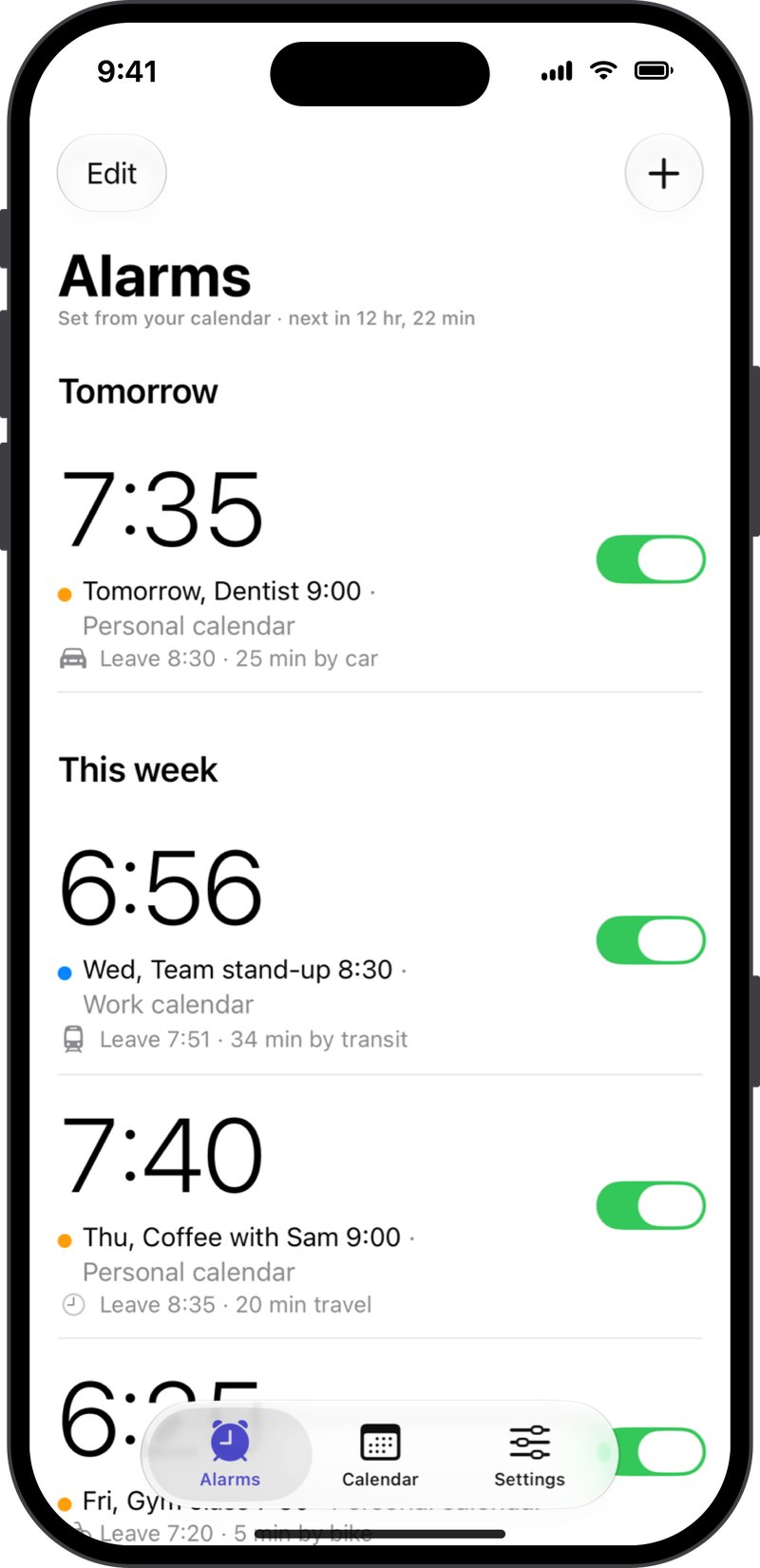
Rise&Go reads your calendar, checks the trip in Apple Maps and sets your alarm early enough for your morning routine.

Free on iPhone. Premium with a free week.
7:35, because you have a dentist at 9:00.
Meeting at 9:00, 25 minutes by car, a shower and breakfast first. So, 7:35? Rise&Go does that for you every night, for every event.
iCloud, Google, Outlook: every calendar on your iPhone.
Shower, breakfast, the time you like to arrive early.
Your alarm is set from your first event, with the trip from Apple Maps.
One alarm a day, from your first event. Move a meeting and the alarm follows. No event, no alarm.
Travel time comes from Apple Maps, by car, transit, bike or on foot. Your alarm only moves earlier when the trip gets at least 5 minutes longer, so it never jumps around.
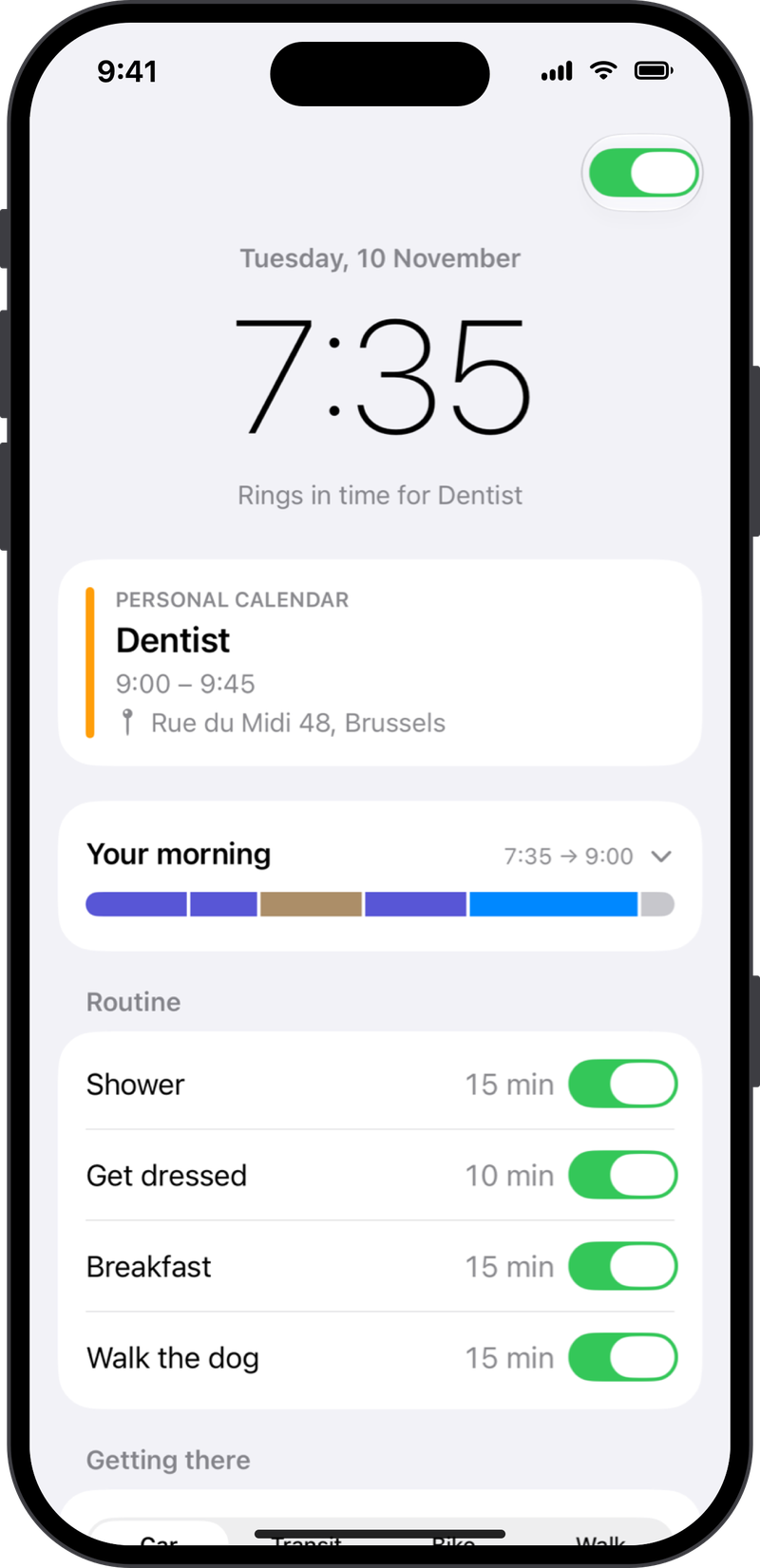
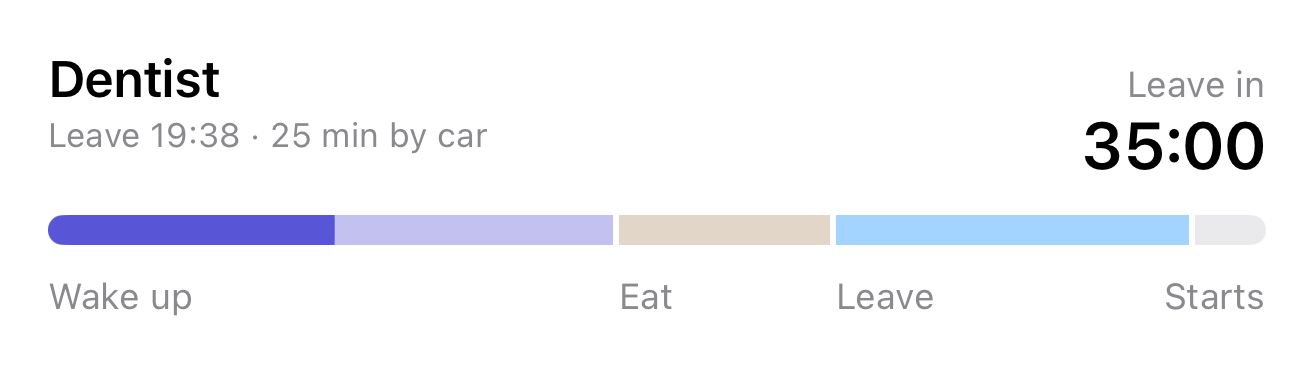
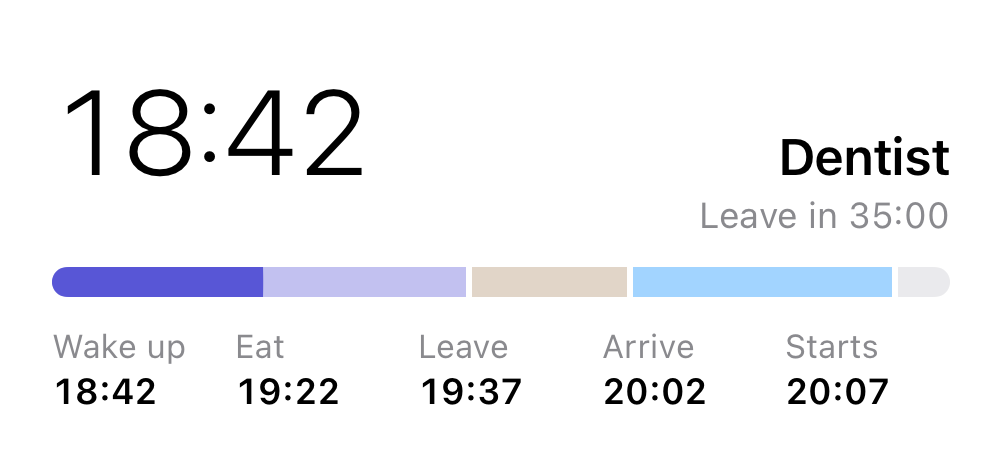
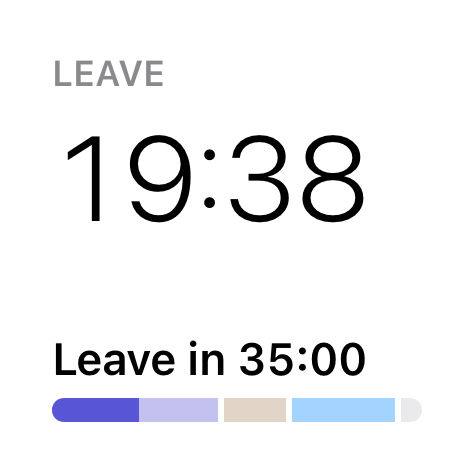
Get ready, breakfast, travel and a little margin, in proportion. When the alarm rings, the bar fills up and tells you what's next.
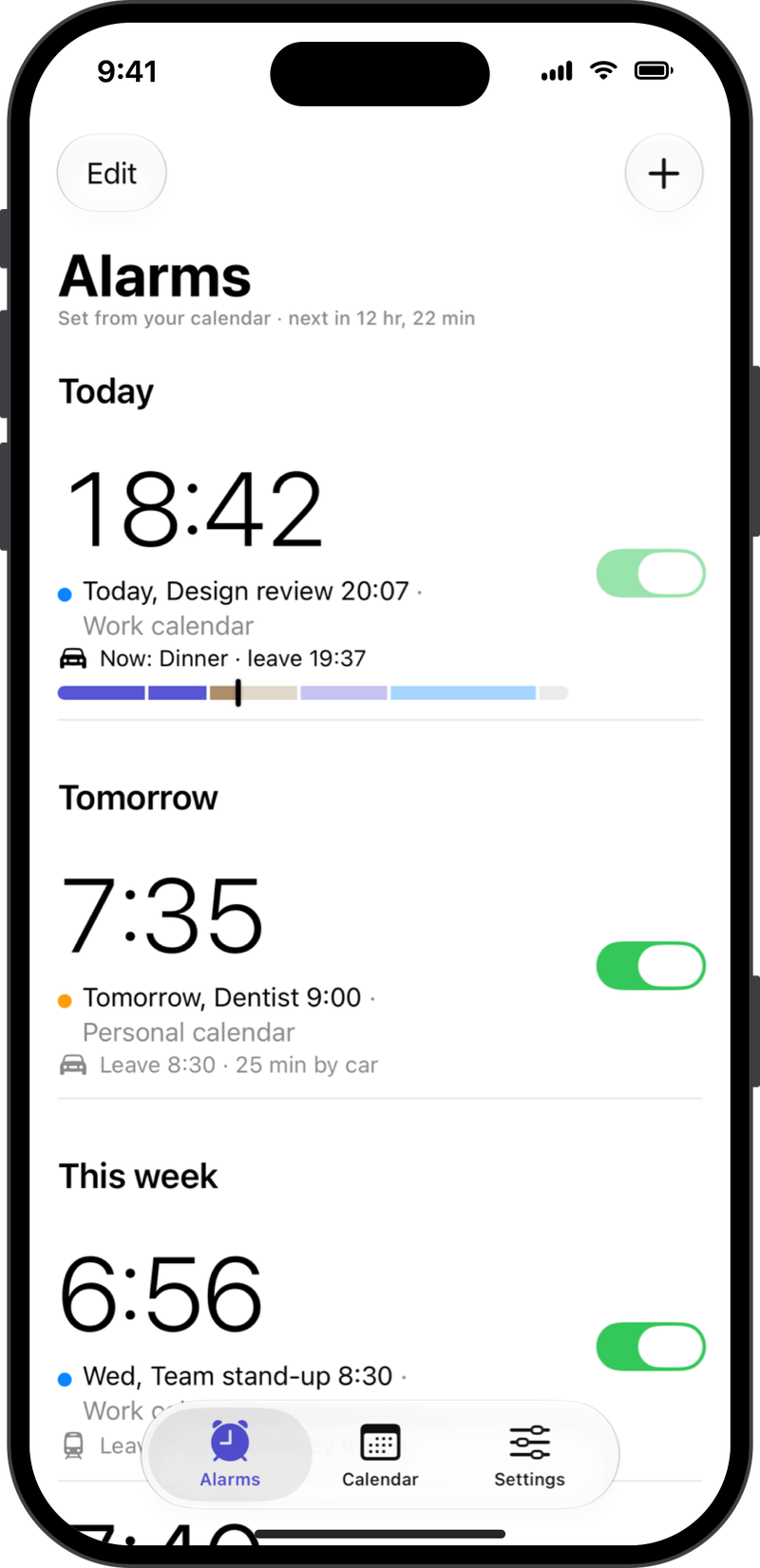
Rise&Go uses Apple's alarms. They ring like Clock, in Silent mode and Focus, even when the app is closed.
7:35
Dentist at 9:00 · leave 8:30
See every event from every calendar, with the one that sets each alarm marked. Create and edit events right in the app.
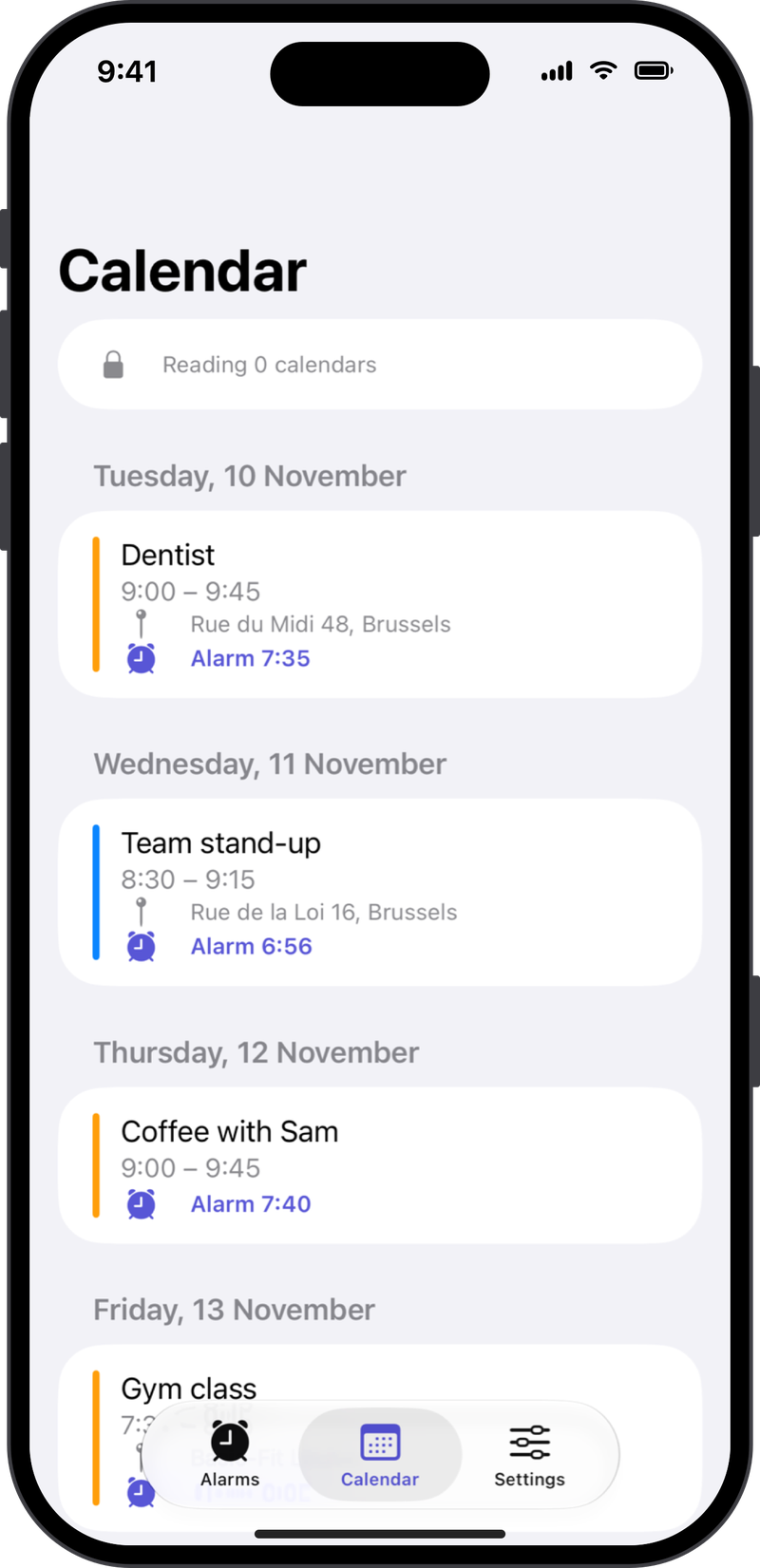
No account. Your calendar is read on your iPhone and never uploaded. No Rise&Go server, no analytics.
Wake up on time, every time.
Your alarm moves before you wake up if the trip gets longer.
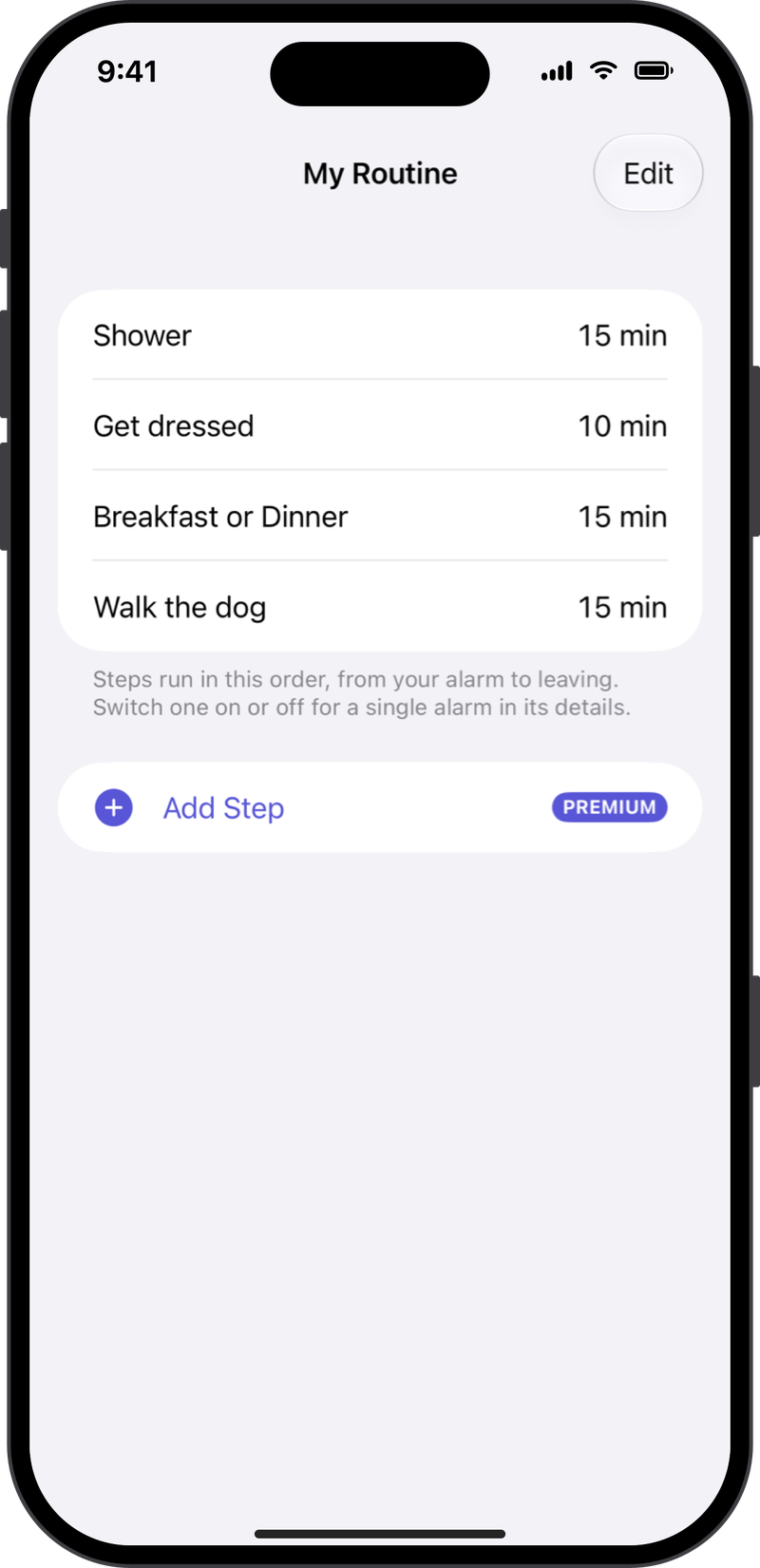
Add, rename and reorder steps like Shower or Walk the dog.
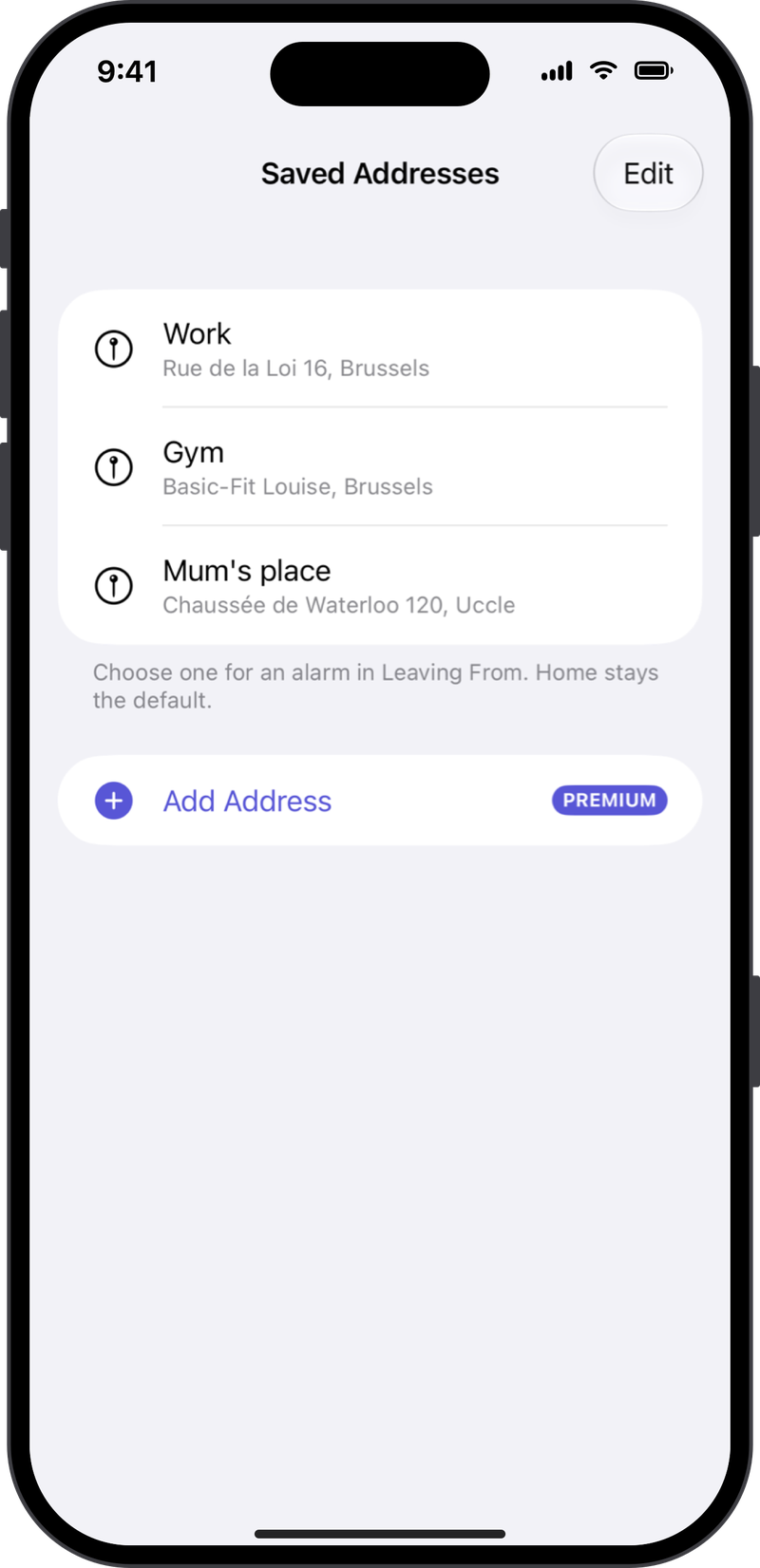
Leave from work, the gym or anywhere in one tap.
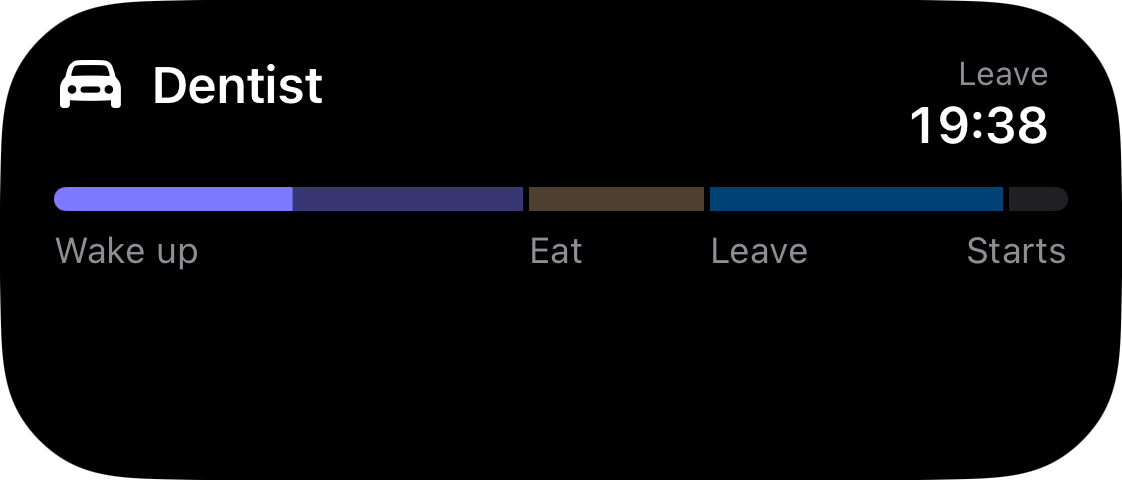
Your morning on the Lock Screen, Home Screen and Dynamic Island.
Premium removes the ad from the Alarms and Calendar lists.

Cancel anytime in your Apple Account settings.
Prices may vary by country and are shown in the app before you buy. Payment is charged to your Apple Account. The subscription renews automatically unless cancelled at least 24 hours before the end of the period. Manage or cancel in your Apple Account settings. Terms of Use · Privacy Policy
The free version already sets your alarms. Premium does more for your morning.
| Feature | Free | Premium |
|---|---|---|
| Alarms from your calendar | ✓ | ✓ |
| Real alarms (AlarmKit) | ✓ | ✓ |
| Travel time from Apple Maps | ✓ checked when you open the app | ✓ + checked about an hour before the alarm |
| Morning routine | Get ready + Breakfast | Unlimited custom steps |
| Leave from | Home or a typed address | + Saved addresses |
| Leave reminder | ✓ | ✓ |
| Widgets, StandBy, CarPlay | – | ✓ |
| Live Activity + Dynamic Island | – | ✓ |
| Ads | One per list | None |
It takes the first timed event of your day and works backwards: the event start, minus the time you like to arrive early, minus the travel time from Apple Maps, minus your morning routine. The alarm detail shows each part.
Every calendar on your iPhone: iCloud, Google, Outlook/Exchange and others. To add Google, go to Settings › Apps › Calendar › Calendar Accounts on your iPhone. Its events then appear in Rise&Go automatically.
Yes. Rise&Go uses Apple's alarm system (the same as the Clock app), so alarms ring in Silent mode and Focus, even when Rise&Go isn't open. You need to allow alarms when the app asks.
Travel time is checked again each time you open Rise&Go. With Premium, it's also checked about an hour before the alarm, so traffic can still move it earlier. To avoid jumps, the alarm only moves when the trip gets at least 5 minutes longer, and it never moves later on its own.
€19.99 a year (with a free week) or €2.99 a month. Prices can vary by country and are shown in the app before you buy.
Free on iPhone. Premium with a free week.